FC Mobile APK 2026: Latest Version 28.0.01, Free & Safe
FC Mobile APK: Download Guide, Versions and Install Steps for Android
Quick answer: an FC Mobile APK is the installer file for EA SPORTS FC Mobile on Android 7.0 and above. There are three main flavours: the global (quốc tế) release from EA, the Vietnam (VN) release from Garena, and the Korea (Hàn Quốc) release from Nexon. Pick the one that matches your region and account, because progress is not shared between them.
What Is FC Mobile APK?
APK stands for Android Package Kit, the file format Android uses to install apps. When people search for "fc mobile apk" they usually want to install EA SPORTS FC Mobile outside Google Play, update to a newer season faster, or get a build that works on their device and region. Some downloads also come as XAPK or split APK bundles that include extra resources, so always read the file type before installing.
FC Mobile is the mobile entry in EA's football series. It focuses on Ultimate Team squad building, quick matches, Division Rivals, Leagues, seasonal events and licensed clubs, national teams and ICON legends.
FC Mobile Versions Compared: Global, VN and Korea
Many players are confused because several releases share the same game name. The table below shows the practical differences.
| Version | Published by | Best for | Notes |
|---|---|---|---|
| FC Mobile quốc tế (global) | Electronic Arts | Players outside the regional servers | Multiple languages, EA-run events and promo codes |
| FC Mobile VN | Garena | Players in Vietnam | Vietnamese commentary, local events, Garena login |
| FC Mobile Hàn Quốc (Korea) | Nexon | Korean-language server | Regional content and separate accounts |
FC Mobile Quốc Tế APK (Global Version)
The global build is the one most people mean by "fc mobile apk quốc tế" or "fc mobile quốc tế apk". It is published by EA, supports many languages and is available on Google Play. Some regional servers can block it, so a connection error does not always mean the file is broken.
FC Mobile VN APK (Vietnam Version)
The VN release is operated by Garena and is built for Vietnamese players, with local commentary and region-specific events. Because it is a separate game server, EA gift codes made for the global version will not work here.
FC Mobile Hàn Quốc APK (Korea Version)
The Korean release is a regional edition run by Nexon. It is mostly in Korean, and its login and events follow the Korean server schedule.
FC Mobile 27 Beta APK: What to Know Before You Install
Every new season, players search for "fc mobile 27 beta apk" or "fc mobile beta 27 apk" to try new features early. A beta is a test build, so it may have bugs, balance changes and limited servers. Progress made in a beta does not always carry over to the live game, and availability depends on EA and your region.
- Use an account you can afford to lose progress on.
- Back up your phone before installing a test build.
- Expect crashes, missing content or temporary changes to gameplay.
What's New in FC Mobile 27 (Build 28.0.01)
- Game Plans: switch tactics, formations and mentality during a match.
- New PlayStyles: abilities such as Incisive Pass and Dead Ball give players more distinct roles.
- Gauntlet Mode: squad-depth challenges with unique traits and house rules.
- Improved passing and player attributes based on real-world performance.
- Updated visuals, commentary and celebrations for the 2026/27 season.
System Requirements
- Android 7.0 or higher
- arm64-v8a or armeabi-v7a processor
- At least 4 GB RAM recommended for smoother matches
- Several GB of free storage for the app and in-game data
- Stable Wi-Fi or mobile data connection
How to Install FC Mobile APK on Android
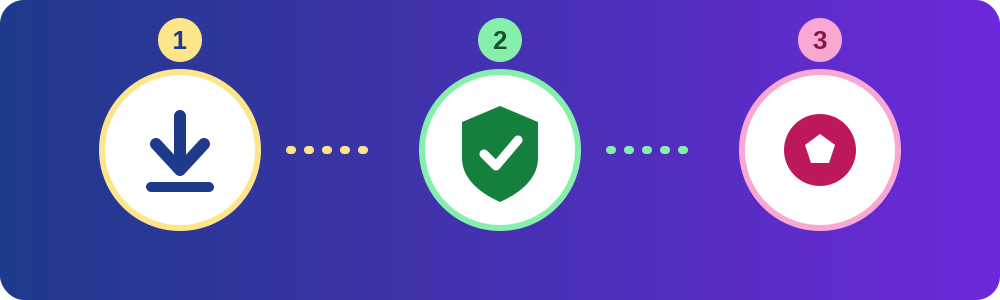
- Download the APK that matches your CPU and region version.
- Open Settings and allow installs from your browser or file manager when prompted.
- Tap the file and choose Install. If it is an XAPK or split bundle, use an installer that supports it.
- Open the game and let it download its extra data.
- Sign in, then turn the unknown-sources permission off again.
Is FC Mobile APK Safe? A Quick Checklist
- Download only from sources you trust and avoid "mod" or "unlimited coins" files, which can contain malware and risk an account ban.
- Compare the file size and version with the listing on Google Play.
- Keep Google Play Protect turned on and scan new files.
- Do not enter your login on unofficial pages; use the in-game sign-in only.
Common FC Mobile APK Problems and Fixes
- App not installed: free up storage, uninstall older copies, or choose the build for your CPU type.
- Parse error: your Android version may be too old, or the download is incomplete. Download again.
- Region or connection error: some regional servers block other IP addresses. Use the version meant for your country.
- Authentication failed: check your account, wait a few minutes and try again.
- Lag during matches: close background apps and lower graphics quality.
Game Modes and Ultimate Team Basics
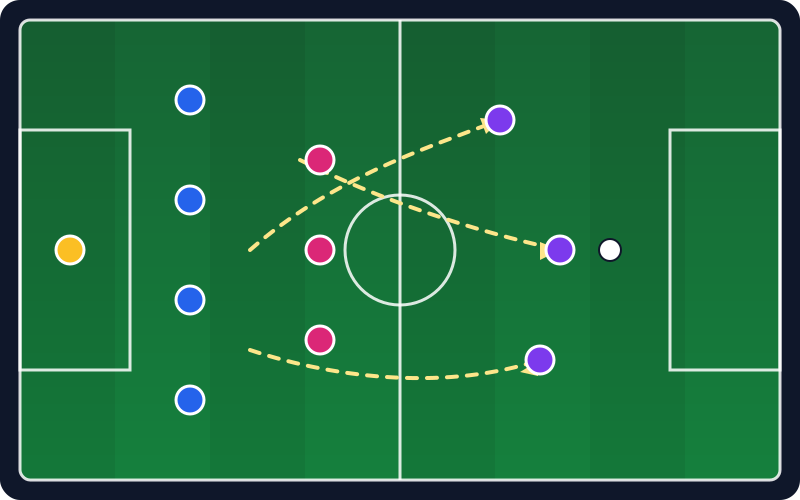
FC Mobile mixes solo and online play. Ultimate Team lets you collect players through packs and events, then set your formation. Division Rivals and Head to Head are the main ranked PvP modes, Leagues let you join a community for tournaments, and Quick Match is ideal for friendly games. Daily training, quests and achievements give steady rewards even if you do not spend money.
Tips for New Players
- Finish daily training and quests before anything else.
- Build a balanced squad with good chemistry instead of one star and ten weak players.
- Practise in solo events before ranked games.
- Join an active League for extra rewards.
- Be careful with packs: results involve luck, and purchases are optional.
Useful Official and Reference Resources
- EA SPORTS FC Mobile official page
- FC Mobile on Google Play
- How Google Play Protect works
- Overview of regional FC Mobile versions (Gaming on Phone)
Frequently Asked Questions About FC Mobile APK
What is FC Mobile APK?
FC Mobile APK is the Android installation file for EA SPORTS FC Mobile, the free-to-play football game from Electronic Arts. You can install it manually (sideloading) instead of using Google Play, but you should only use a trusted source.
What is the difference between FC Mobile global, VN and Korea versions?
The global version (quốc tế) is published by EA, the VN version is published by Garena for Vietnam, and the Korea version (Hàn Quốc) is a regional release run by Nexon. They use separate servers, so accounts, progress and gift codes are generally not shared.
Is there an FC Mobile 27 Beta APK?
Early-access or beta builds may appear before a new season, but availability depends on your region and on EA. Always confirm through official channels before installing, because beta builds can be unstable and progress may not carry over.
Which Android version does FC Mobile need?
The current build lists Android 7.0 or higher with arm64-v8a and armeabi-v7a support. For smooth matches, a phone with 4 GB RAM or more is recommended.
Is FC Mobile APK safe to install?
The game itself is an official EA product, but modified or re-uploaded files can be risky. Download from a source you trust, check the file size and signature, and keep Google Play Protect switched on.
Can I use my progress if I switch from the global to the VN version?
Generally no. Regional versions run on separate servers and use different login systems, so progress, currencies and promo codes do not transfer between them.
Do I need internet to play FC Mobile?
Yes. Ultimate Team, events, Leagues and Division Rivals all need an online connection, and extra game data is downloaded after installation.